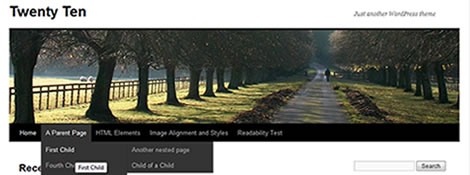
Twenty Ten is the new default theme for WordPress 3.0 and makes great use of all the new features this new major release brings so it seems to make sense to start with this as a base for your next WordPress based project’s theme yeah?
Well before you start jumping in and hacking the code you need to realise Twenty Ten is in fact a Parent Theme and you can make ALL your required CSS / Function and Template modifications in a subdirectory so when the main Twenty Theme is updated all those tweaks and hacks won’t be lost for ever – cool ay?
Of course WordPress do a great job of explaining how to start working with Child Themes using Twenty Ten as the base here but we thought we would summarise our take on this for those who need the bare minimum to get started: Got your favourite PHP / CSS editor ready? Great let’s begin…
How to set up your directory should be set up
The most important aspect of getting your new child theme working is making sure you have the required files in the correct place like this:
- web root
- wp-content
- themes (directory where all your themes are)
- twentyten (directory where the Twenty Ten Theme is)
- your-new-twentyten-child (directory of your new child theme – you can call this anything!)
- style.css (the only 100% required file in a child theme which must be named style.css)
- functions.php – this is optional but is the place to add new functions to your theme. It is loaded in addition to the parent’s functions.php and right before the parent’s file.
- header.php, index.php etc – Again you don’t need these but the best thing to do is make a copy of the original Twenty Ten Theme files you want to modify and store them here. Then edit these copies to remove things that you cannot do via the nice new options within the WordPress Admin area and be safe in the knowledge you can always just delete your copies to get back to the Twenty Ten Originals
- themes (directory where all your themes are)
- wp-content
What needs to be in the child style.css file as a bare minimum
The following is the standard
/*
Theme Name:     My Twenty Ten Child
Theme URI:      http: //thebloghouse.com
Description:    My child theme for the Twenty Ten theme
Author:                Andy
Author URI:     http: //thebloghouse.com
Template:       twentyten
Version:        0.1.0
*/

@import url("../twentyten/style.css");

/* The following CSS is our example - you do not need to change your site's title link colour */

#site-title a {
    color: #009900;
}
Seems easy enough yeah?
Only thing you need to watch out for is if you want to say change the way Twenty Ten deals with certain CSS values you need to make sure you copy the full original CSS into your style CSS and change each value. By this we mean say you want to change the nice new Twenty Ten footer. You would find the following in the original style.css and copy this to your style.css file:
#colophon {
 border-top: 2pt solid #000;
 }
However simply removing the border-top: 2pt solid #000; part will NOT remove the border – you would need to have the following none value to override the original style.css:
#colophon {
 border-top: none;
 }
Obviously this is a very quick and simplistic look at the great work that everyone who has worked on and contributed to WordPress 3.0 and the Twenty Ten theme but if you are struggling with the basics hopefully the info above might help.
If not I would suggest reading the documentation again here, check out the 1 hour + video below by Steve Bruner and his WordPress 3.0 Customization Techniques or feel free to post a question in the comments below.
Hi,
please, can you advice me how to remove the page titles from my static pages ? I’m going insane…
Kindly,
Peter
Thanks for your comment Peter.
Can you please explain in a little more detail (maybe an example title) what aspect you aspect of the static content you don’t like?
Mine is also same. I made to page one “Home” and other “Blog”. Home is static. I want to rename “Home” to my local language. But I can’t make it. Plz help
To change the names of the pages that appear in the menu system go to Appearance > Menus and then on the right hand side click on the page name you want to change and enter your new menu name in the Navigation Label and finally click Save menu.
Thank You. It works.
No problem!
Is there any way to remove the title link and that white space that is located above the header image?
I know I can just delete the title from the Settings > General menu, however, that removes the title link from the top of my dashboard, I and I like the link there for quick access to my Home Page.
The Title-Link above the header is unnecessary if the header displays the website name, and there is already a link at the bottom of the page in the footer.
Thanks for you help.
Hey Mike
You could add the following quick CSS hack to the bottom of your existing style.css file:
#header {

padding: 0;

}

#site-title {

display:none;

}
However I would try and create a child theme as I mentioned at the top so when Twenty Ten is updated your changes will stick.
Hope that helps?
Someone created a modified 2010 theme called 2010 Weaver…it is fully customizable and a good alternative to the original 2010 theme. I’m glad I found it as it solves many of my problems, including the option to remove the title above the header.
Thanks for your advice too, I’ll keep it in mind if I need it in the future.
No problem Mike.
Hey Mike,
Thanks for pointing this wonderful theme – 2010 Weaver, love the ability to customize it.
I was desperately looking out to reduce the header height of my blog and landed upon this page. That made my life simple.
the little hack worked, thanks a bunch. that thing was driving me nuts.
Pingback: Twenty Ten: Free Wordpress Theme (and Related Articles) | READMORE.CE.MS
Hi – how do you change the settings so that posts appear in chronological order when you click the category or month links on the sidebar?
Hi Simon.
Can you post or email us a link to your site where this is an issue as it sounds like it is specific to your site?
I get a list, but I’d like it to start with the first post, not the most recent one.
Or at least know how to do it so I can have the choice.
Thanks
Simon
Hi again
Are you talking about the “My most recent posts” area on your site?
Hi I want to display the posts in a row where can I change this?
Hi Ravi
Can you please email us a link or reply with some more details so we can try to help?
Hey can you help me with removing the black border around my header? I did the following in my stylesheet:
#branding img {
border-top: none;
border-bottom: none;
}
But the border is still on the site: http://kellyrouba.com
Am I missing a step?
Thanks!
Hi Hilary
It looks like you have now resolved this but if not then please post more details of the issue.
Hi,
Very helpful tips here. I’ve managed to remove the Title and extra white space from the top by editing the style.css file. Is there a way I can make my header an anchor back to the main page?
Thanks,
Matt
Hi Matt
You would need to add an image in the html code so there is something to click and then use CSS to position it over the cropped-AbstractRealmHeader_9401.jpg background you have.
Alternatively you could do put a link in the header area and give it a class e.g. class=”YourSiteLogoClass” then you can use some CSS similar to the following:
#header a.YourSiteLogoClass {

display: block;

width: 520px;

height:100px;

background: url(images/bg/You-logo.jpg) no-repeat;

}
Hope that helps.
Just a quick comment to say we have been told about a brilliant new child theme system based on the already great Twenty Ten theme called Twenty Ten Weaver. Some of the amazing feature are:
* Easily Customize Your Theme via “checkbox” Interface – You can easily customize over 50 different elements of your theme simply by using the “checkbox” interface. Check checkboxes or select colors from a color picker – you don’t have to know the technical details to create a custom theme. (But if you do know CSS, you can make even more changes!)
* Select from prebuilt themes, or design your own. Weaver includes over 15 sub-themes – either ready to use, or to serve as a starting point for you customizations.
* Pick your own colors for titles, content, backgrounds, menu bar, and more Using the theme admin panel, you can easily change the colors for all the major elements of the theme – titles, body text, links, backgrounds, the menu bar, borders. You can use the color picker, or provide a hex value directly. The current color is displayed in the value box.
* Pick your own fonts for titles and content. Select from a list of 20 popular web fonts for your titles and content.
* And much more!
If you don’t want to have to get your hands dirty with CSS etc then we strongly recommend downloading this theme:
Twenty Ten Weaver
Hi! Thanks for the great tutorial!!
I’d like to know if there’s a way to have the header directly on the background (with the white background only behind posts and sidebar)? That’s the only thing I haven’t been able to change, but I’d really like to have the header separated from the body.
Hi Wendy
You would need to put something like this in your child theme CSS file:
#wrapper {

background: transparent;

}

#container {

background: #ffffff;

}
The advice I gave to Lasse below would also be worth you reading 🙂
Thank you! I had to use the same pattern for the header and the background, but it didn’t look perfect, now it’s working!
I just downloaded the web-developer too, thanks a lot for the advice!
Great news Wendy. Glad you got sorted 🙂
Hey there
I would like to have wider pictures using this theme.. I tried to write 1200 instead of 640 here;
.one-column #content {
margin: 0 auto;
width: 640px;
But it isn’t working. I’m really new in CSS, but my guess is that there’s something else blocking my way. I did enter 1200 in the “limit width to”-box underneath.
Thanks!
– Lasse
Hi Lasse.
Thanks for the comments.
I would suggest you download the following and install it on either Firefox or Chrome web browsers as with this you can start to learn about how the page is constructed and edit CSS live without actually altering things:
http://chrispederick.com/work/web-developer/
With regards to your specific issue I have just looked at your blog and everything looks ok so I presume this is now fixed?
As a novice, I’m loving the relative simplicity of Twenty Ten. But one thing in the header I would like the change: the right-hand tag line above the image. It is too small for my taste.
How can I edit or modify that right-sided header tagline to a) change fonts or b) enlarge the font?
Thanks for the comments.
What I would advise it to create a child css file as detailed above and something like the following to it – changing the obvious parts to suit your needs:
#site-description {

font-size: 16px;

font: Arial, Helvetica, sans-serif;

}
Hi! just made a translation for the Twenty Ten theme, the traditional way, in case some of your readers may benefit of using it I’ll leave you the link:
http://geektual.com/tema-twenty-ten-para-wordpress-traducido-al-espanol/
Andy/Admin (sorry, I’m confused to who is doing the most helping here.
Basically, I was able to do small customs here and there, but I was really wondering if you can walk me through some changes. Mainly font size (body and posts) in the Twenty Ten theme; as well as some other things.
If you can email me back, that would be great. =D
Hi Jeff
We can do the work for you and at the same time explain what we are doing if you are struggling?
Please contact us and we will let you know our charges.
If I insert an image, the text will flow around it, but that is not always what I want. Can you tell me how I can insert an image without the text flowing around it? I just want some text, then a few images followed by more text, but that does not seem possible.
Hi Maurice
When you add an image to a post or page there are the following alignment options with either the Center or None options hopefully giving you what you need:
None Left Center Right
Hi, I just ran across your site in looking for an answer to something I am trying to do.
I am using 2010 with a child theme.
I want to know how to remove the page labels from the content of my pages (not all of them) actually I want to put a name to my home page so that it shows up in my site map but if I do that then it will say “HOME” right on my home page.
Thanks for any guidance
Hi Dan
Apologies for not replying sooner – we missed your comment 🙁
Did you resolve this issue? If not please post more details and we will be happy to help.
Hi,
I need to change the Twenty Theme’s navigation menu to be horizontal-flying one. Can you advise me?
Thanks
Hi Du Hoc
Where do you want this horizontal menu to be placed – in the sidebar?
Hi, Id like to customize the comments link font size, making the comment option more prominent to show people they can comment 🙂
Thanks for your question.
To change the size of the text above the comments form you can add the following CSS rule:
#commentform label{font-size:20px;}
Obviously changing the font size value from 20px to whichever size you prefer.
If you want to change the look further then you will need to details exactly what you want to someone (like us here) who can style the comments as you like.